A domain name is your website's street address. It's how people find you online, whether they type it in, click a link or ask Google or ChatGPT for a business like yours. If you're launching a new website or rebranding an existing one, registering the right domain is the first real step.
Here's everything you need to know about domain name registration in NZ, from choosing a name to what to do after you've hit register.
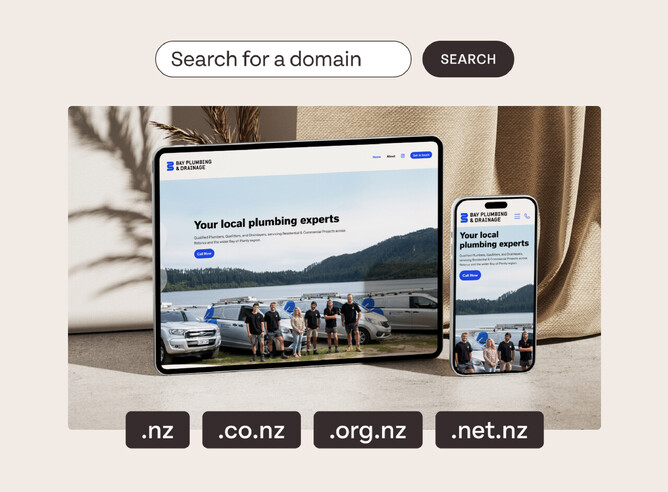
Before you register: four things to think about
1. Brainstorm Your Domain Name
Your domain name should be simple, memorable, and reflective of your business. Keep it short and avoid tricky spellings that could confuse potential visitors. If possible, include keywords that match what your business does—for example, if you’re a florist in Auckland, something like “AucklandBlooms.co.nz” works a treat.
💡 Pro Tip: check whether the same name is free on social media. Using one name everywhere makes your brand easier to recognise.
2. Choose the right domain extension
The most common extensions are .com, .co.nz, and .nz, but there are plenty of options like .shop, .online, or .photography. The right extension depends on your business type and where your audience is based. If you’re targeting a local audience, a .co.nz or .nz domain is a great choice.
3. Check domain availability
Once you've got a name in mind, see if it's free. If your first pick is taken, try a variation. Add your location, add a word that describes your work, or try a different extension.
4. Plan for growth
Think about where the business is heading. If you register aucklandblooms.co.nz, it's worth grabbing aucklandblooms.nz too so nobody else can. Registering a couple of close variations now is cheaper than trying to buy one back later.
How to register your domain name
Now that you’ve done the prep, here’s how to officially lock in your domain:
1. Find a reliable domain registrar
A domain registrar is simply a company that helps you register your domain. Here’s a little insider tip: registering your domain with your website platform (such as Rocketspark) can save you heaps of hassle. When your website, domain and business email all live in one place, there's one login, one renewal date and one team to call if something goes sideways.
2. Register your chosen domain name
Once you’ve picked your registrar, enter your desired domain name to check availability. If it’s available, great! Simply follow the registration prompts. Be prepared to provide basic contact information and select how many years you’d like to register the domain for (one year is standard, but you can go longer for peace of mind).
3. Pay and confirm
Complete payment and the domain is yours. Keep a note of your login details and the renewal date somewhere you'll find them again.
After registering your domain
Congratulations! 🎉 You’ve cleared a big hurdle. But the work doesn’t stop there—here’s what to do next:
1. Connect your domain to your website
If you’ve registered your domain with your website platform, connecting your domain to your site is super simple. If not, you’ll need to manually link it—your registrar or your website platform should have step-by-step instructions to help.
2. Set up a professional email address
A business email address using your domain (like hello@AucklandBlooms.co.nz) looks professional and builds trust with your customers. If you’ve registered your domain through your website platform, setting up email is usually just a few clicks away. Why not tick this off while you’re at it?
3. Keep an eye on renewals
Domain names need to be renewed to stay active. Most registrars offer auto-renewal options so you won’t accidentally lose your domain.
4. Build your website
If you haven’t already, it’s time to start building your website. With Rocketspark, you can create a beautiful, easy-to-manage site in no time. And with your domain and email sorted, you’re all set to take your business online.
Ready to Register Your Domain?
By getting your domain name registered, you are laying the digital foundation for your business. By keeping everything—your website, domain, and email—in one place, you’ll save time and avoid unnecessary headaches.
With Rocketspark, you can sort it all in one go. Easy, right? Let’s get your domain name locked in and your website live. 🚀
Frequently asked questions
How do I register a domain name with Rocketspark?
Search for your domain, hit Get it now, then follow the prompts to set up your account and pay. Rocketspark handles the technical bits (DNS, SSL and verification) automatically once you're through checkout. For a click-by-click walkthrough with screenshots, see our domain registration guide.
What if the domain name I want is already taken?
Then someone else has it and you'll need a variation. Add your location or a keyword, or try a different extension like .nz or .co.nz. Rocketspark suggests alternatives automatically when you search. If you're set on a taken name, keep checking back. Expired domains usually take 30 to 75 days to free up, and good ones go fast.
How much does it cost to register a domain name in NZ?
Prices vary by extension. With Rocketspark, .co.nz and .nz domains start from $23.50 for the first year, and there are discounts if you register for multiple years. Registering through your website platform costs about the same as a standalone registrar, without the separate logins and renewal dates to track. For a full breakdown by extension, including renewal prices, see how much a domain name costs in New Zealand.
Do I need extra information to register an Australian or UK domain?
Yes. Australian domains (.com.au, .org.au, .net.au, .asn.au) need your ABN or ACN and business type. UK domains (.co.uk, .org.uk, .me.uk, .uk) need your business details. New Zealand and most other extensions just need your contact details. Rocketspark asks for the right information during checkout, so there's nothing extra to track down.
Can I use a domain I already own with Rocketspark?
Yes. You'll transfer it across rather than register it fresh. Our domain transfer guide walks through moving an existing domain so it connects to your Rocketspark site without any downtime.
Do I keep my domain if I cancel my website?
Yes, always. Your domain belongs to you regardless of what happens with your website plan. If you cancel with Rocketspark, you'll be asked whether to keep the domain running or let it go. It's your call.
Can I point more than one domain to my website?
Yes. You can register or connect several domains to one Rocketspark site. Set one as your primary and the rest will redirect to it automatically.
Is a domain name registration permanent?
No. You're licensing it rather than buying it outright. Registrations run for one to several years and need renewing to stay active. Auto-renew is on by default with Rocketspark so you don't lose a domain by accident.
