You know those little frustrations when you’re editing your website? The ones that aren’t deal-breakers, but slow you down just enough to be annoying? Yeah, we’ve been thinking about those too.
There are three fresh updates in the Rocketspark editor that are all about one thing: speed. Getting your site looking great, faster. Less clicking around, less guesswork, less fiddly stuff. More time doing what you actually enjoy, whether that’s designing beautiful sites for your clients or getting back to running your business.
Let’s get into it 🚀
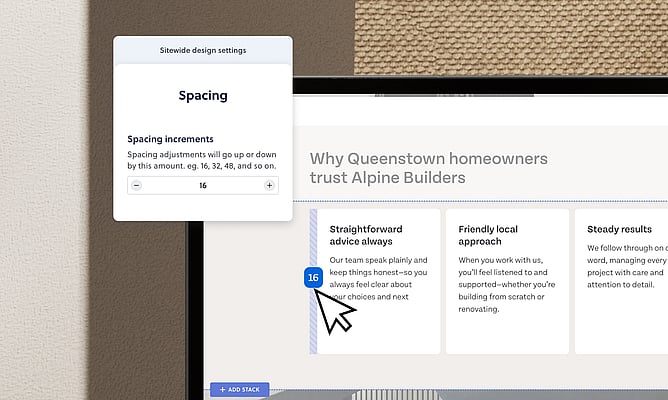
Perfectly consistent spacing, without even trying
Ever spent ages nudging spacing on one section, finally getting it right, then trying to match it on the next section and… it’s off by a pixel? Two pixels? Who knows. It’s the kind of thing that drives you a little bit mad.
Say goodbye to the guesswork. 🎉
There’s a new Spacing increments setting that lets you choose a base unit for your spacing. Set it to 8, and every time you drag a spacing handle it snaps to 8, 16, 24, 32 and so on. No more pixel-by-pixel guesswork. Just clean, even numbers that match across your whole site, every time.
Set it once in your sitewide design settings and it applies everywhere. The in-context handles and the stack design sidebar all stay in sync. Designers, you’re going to love this one.
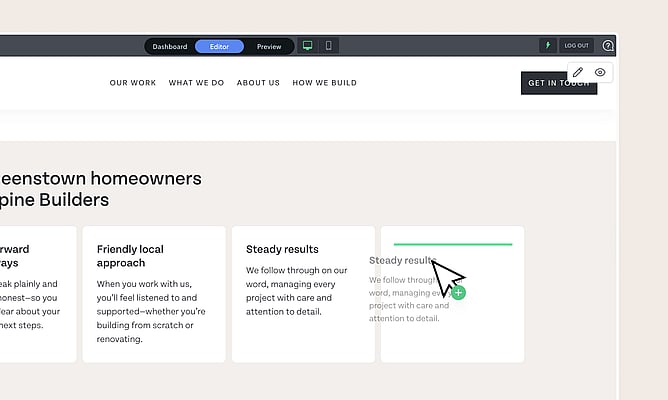
Duplicate any block in seconds
You’ve spent time getting a block looking just right. The layout, the spacing, the content – chef’s kiss. Now you want that same thing again further down the page. Why start from scratch?
Hold down Option (Mac) or Alt (Windows), and the move icon in the block toolbar switches to a copy icon. Click, drag it to where you want it, let go. Done. A perfect duplicate, exactly where you want it. The original hasn’t budged.
If you've used Figma or Adobe, this is the same shortcut you already know. If you haven't used it before, fair warning: you'll wonder how you ever worked without it. It’s one of those “where have you been all my life” kind of features.
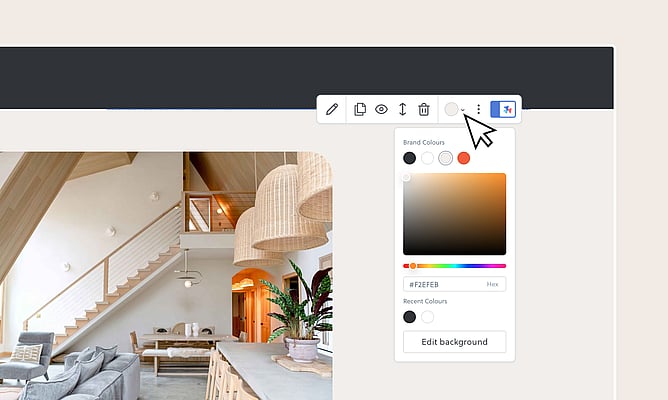
Change your stack background without the treasure hunt
Changing a stack's background colour used to mean clicking into design settings, finding the right panel, scrolling to the right option. Too many steps for something you do all the time.
Now there's a colour swatch sitting right in the stack toolbar. It shows you the current background at a glance. If it’s a solid colour, you see the colour. If it’s a background image, you’ll see a tiny thumbnail of the image right in the swatch, so you always know exactly what you’re looking at.
Click it and your brand colours, recent colours, and a full colour picker drop right down. Pick a colour and it updates instantly. For stacks with background images, it takes you straight to the full background settings. No hunting around. Just quick, in-context access to exactly what you need.
Tiny tweaks, real impact
Individually, these are small updates. But stacked together (pun intended 😄) they make the whole editing experience feel faster and smoother. The kind of difference where you finish a page and think “wow, that was quick.”
And we’re not stopping here. These updates are part of a bigger focus on making the Rocketspark editor something you genuinely look forward to opening. We’ve got more in the pipeline, and a lot of it has come straight from you – our designers and customers telling us what slows them down. We listened, and we got to work.
So go have a play. Set your spacing increment, copy a few blocks, try the background shortcut. We reckon you’ll feel the difference straight away.
Got ideas for what we should tackle next? We’re all ears – we genuinely love hearing from you.
Not on Rocketspark yet?
Start your free trial and see how easy it is to build a website that works as hard as you do.