ROCKETSPARK ACCESSIBILITY STATEMENT
Building a web
for everyone
At Rocketspark, our mission has always been to help small businesses and designers create beautiful websites without the technical headaches. But beauty shouldn't come at the expense of accessibility. A great website is one that everyone can use, and we're committed to making that happen.
This statement is about being open with you about where we stand, what's in the works, and how we're making steady progress to improve accessibility on Rocketspark.
What we mean by accessibility
Making your website easy to use for as many people as possible.
That includes people who use screen readers, can't use a mouse, have low vision or colour blindness, are deaf or hard of hearing, or live with learning or attention differences. In practice, that looks like clear headings, good colour contrast, keyboard-friendly navigation, meaningful link text, image alt text, and captions for videos. It also helps people on small screens or slower connections.
The progress we've made
We've been working through a prioritised list of accessibility improvements. We're proud of how far we've come, and we're not stopping here.
Here's what we've added:
SEPTEMBER 2025
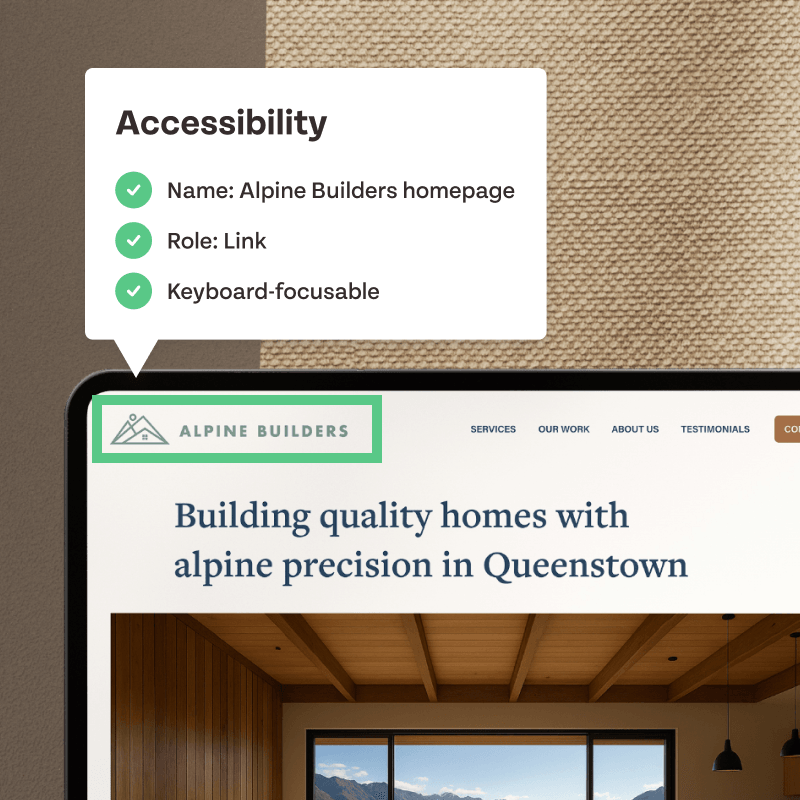
Screen reader-friendly logos
Assistive technology can now properly identify your brand with accessible logo names and roles.
OCTOBER 2025
Skip to content link
Keyboard users can now jump straight to the main content, skipping repeated navigation on every page.
OCTOBER 2025
Focus indicators
Clear visual outlines show exactly where you are when navigating with a keyboard — no more guessing.
JANUARY 2026
Screen reader support for menus
The hamburger menu now works seamlessly with screen readers, so navigation is accessible on every device.
We've also introduced a new approach to development and testing, with accessibility now included in our QA checks. In many places, you can add alt text and accessible labels to images and links, making it easier for screen readers to describe what's on the page. There are also tools to tweak font size, spacing, and colour, helping make content clearer and more comfortable for everyone to read.
ON THE RADAR
What we're still working on
We know there's more to do. Here are some of the areas we're aware of and actively improving:
Language attribute
Adding the lang attribute so screen readers use correct pronunciation.
Dropdown menu ARIA labels
Adding screen reader announcements and state attributes so dropdown menus are fully accessible.
Footer contrast
Improved colour contrast in default footer settings.
Form error states
Contact form errors that work seamlessly with screen readers.
Accessible map embeds
Google Maps with proper titles for assistive technology.
Social icon labels
Accessible link labels for all social media icons.
Where we're heading
Accessibility isn't a tick-box exercise. It's about creating a better web for everyone. Our goal is to make Rocketspark more inclusive and aligned with accessibility standards like WCAG 2.1 and 2.2.
Our approach: We're prioritising accessibility for website visitors first. That means focusing on the experience people have when they land on a Rocketspark website — navigation, content, forms, and all the things that matter to your clients and their audiences. Once we've resolved the main issues there, we'll turn our attention to the Rocketspark editor and dashboard.
We've already changed how we build. New features are designed with accessibility in mind from the start — including focus states, keyboard-first interactions, semantic landmarks, and reduced-motion support — so we're not creating new gaps while we close the existing ones.
Updates will roll out progressively throughout the year, starting with the changes that make the biggest difference to website visitors.
What's happening behind the scenes
🏆 QA checks
Every new feature and update tested against accessibility standards.
📋 Accessibility backlog
Known issues documented and ranked by priority and impact.
🤝 Partner feedback
Working with our design community to validate improvements.
📚 Education
Best-practice tips and guides shared as new features roll out.
Our promise
We won't claim to be fully accessible until we are. What we can promise is to stay transparent, proactive, and committed to improving with every step.
Our goal is simple: to empower you to create websites that everyone can use — without workarounds, hacks, or technical headaches. We know this matters to you, to your clients, and to every person visiting a Rocketspark site.
If accessibility is critical to your project, or you've spotted a barrier we haven't addressed yet, we'd love to hear from you at support@rocketspark.com. Your feedback helps us focus on the changes that make the biggest difference.
Frequently asked questions
What is web accessibility?
Web accessibility means making sure websites can be used by as many people as possible — including people who use screen readers, navigate with a keyboard, have low vision or colour blindness, are deaf or hard of hearing, or live with learning or attention differences. It's about removing barriers so everyone gets the same experience.
Is Rocketspark fully accessible?
Not yet — and we won't claim to be until we are. We've made significant progress throughout 2025 and into 2026, and we're continuing to work through a prioritised list of improvements. This page is kept up to date so you can see exactly where things stand.
What accessibility standards are you working towards?
We're working towards alignment with WCAG 2.1 and 2.2 (Web Content Accessibility Guidelines). These are the internationally recognised standards for making web content more accessible.
How can I make my Rocketspark website more accessible?
There's a lot you can do right now. Add alt text to every image, use clear and descriptive headings, make sure your link text is meaningful (not just "click here"), check your colour contrast, and add captions to any videos. We've put together a guide to help — How can I improve the readability and accessibility of my site?
Do I need to do anything when Rocketspark rolls out accessibility updates?
Most improvements are applied automatically across all Rocketspark sites. Some features — like adding alt text to images or writing descriptive link text — need to be done by whoever manages the site. We'll always let you know when there's something for you to action.
I've found an accessibility issue — how do I report it?
We'd love to hear from you. Drop us a line at [email protected] with as much detail as you can and we'll add it to our accessibility backlog.